Create a free Groq API key
LoroBuddy’s Practise mode listens to your child read aloud and gives a gentle, encouraging score — powered by your own free Groq key. Follow these five steps to create one in the Groq Console. No credit card needed, and Story mode is always free without a key.
Free to start
Groq’s free tier easily covers a family’s everyday reading practice at no cost.
Your key, your control
The key lives in your own Groq account — LoroBuddy never owns it, and you can revoke it any time.
Fast, gentle feedback
Groq scores read-aloud quickly, so your child hears their well-done moment without waiting.
Open the Groq site
Go to groq.com and click Start Building in the top-right corner. Sign in with a free account — no credit card is required.

Open the “API Keys” page
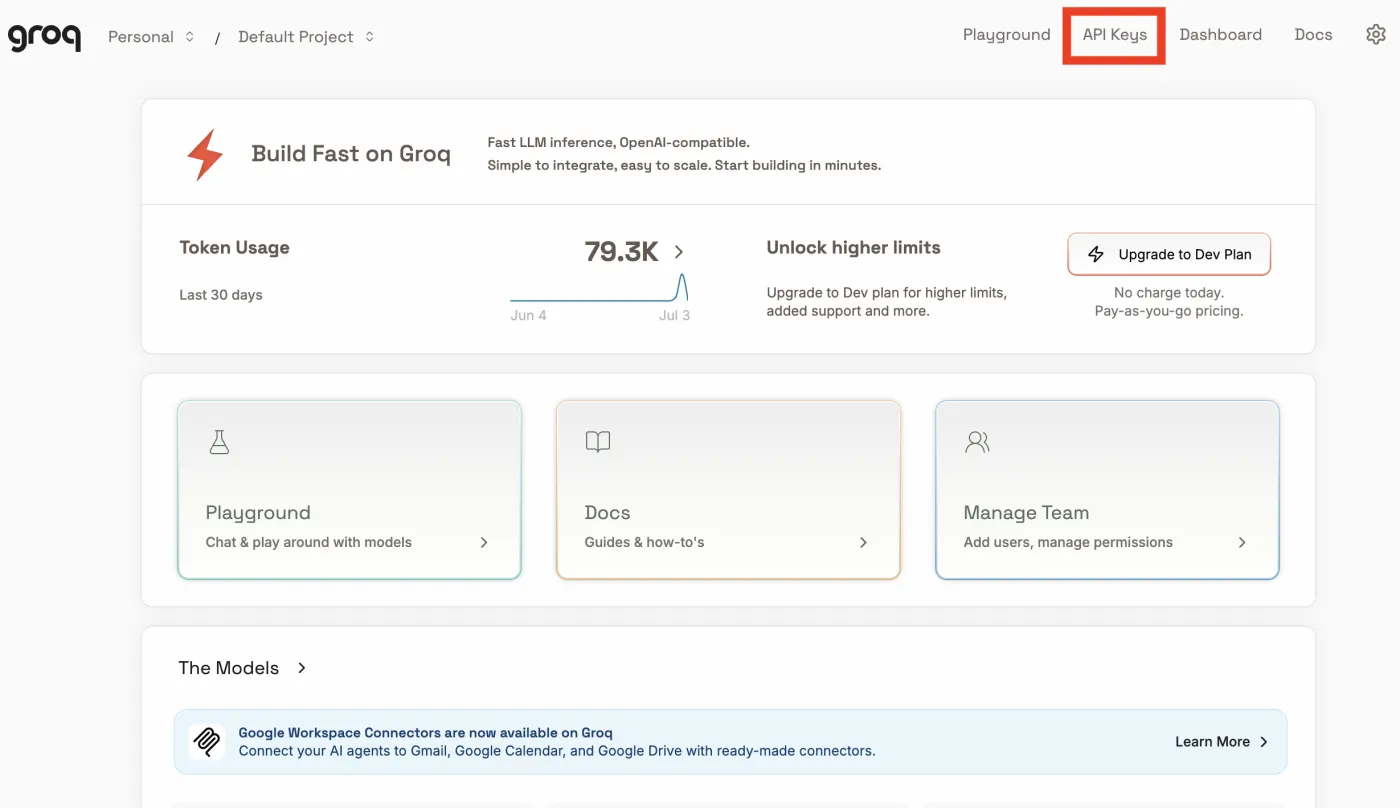
Once you’re in the Groq Console, click API Keys in the top navigation bar to open the key-management page for your account.
Click “Create API Key”
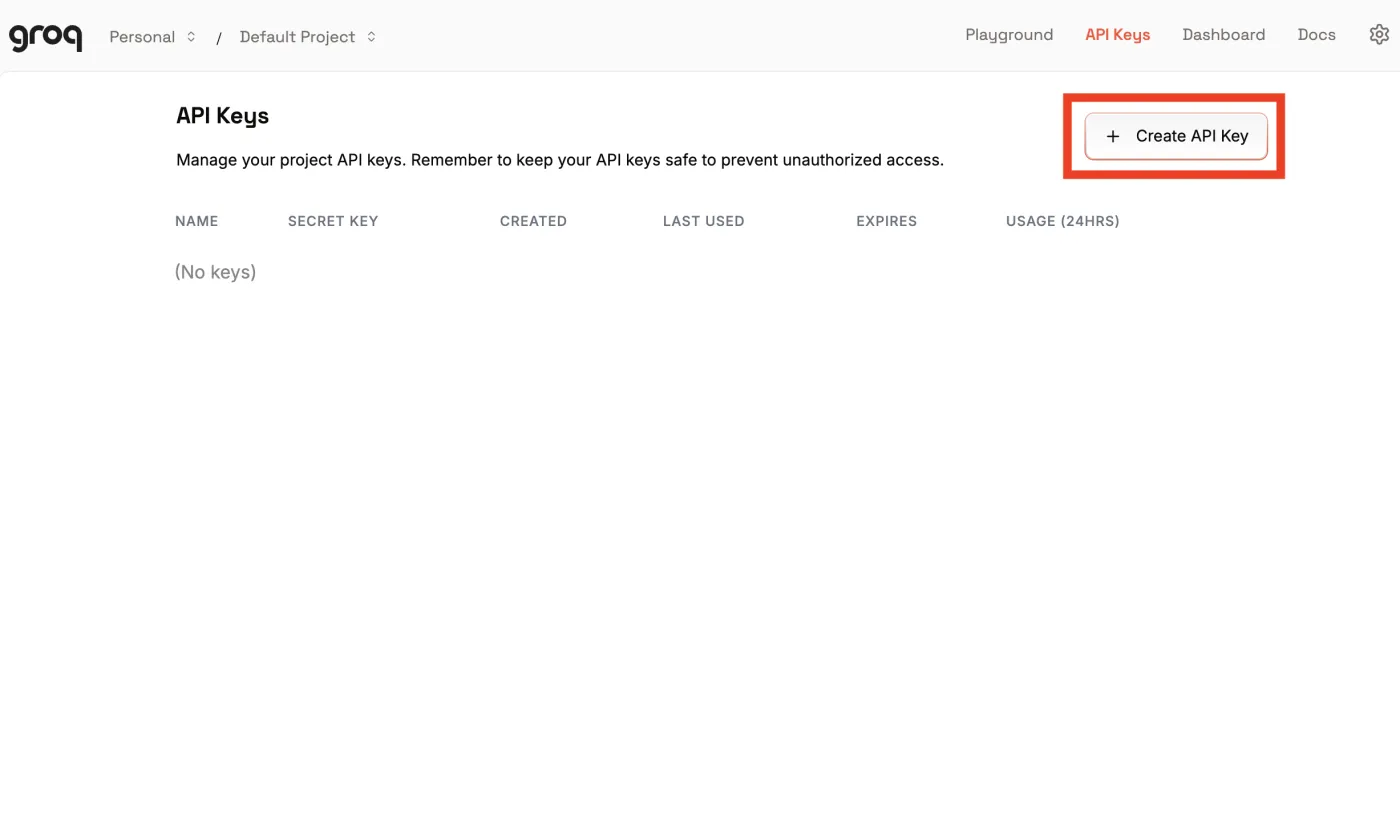
On the API Keys page, click Create API Key in the top-right corner. If this is your first key, the list will be empty — that’s expected.
Name your key and submit
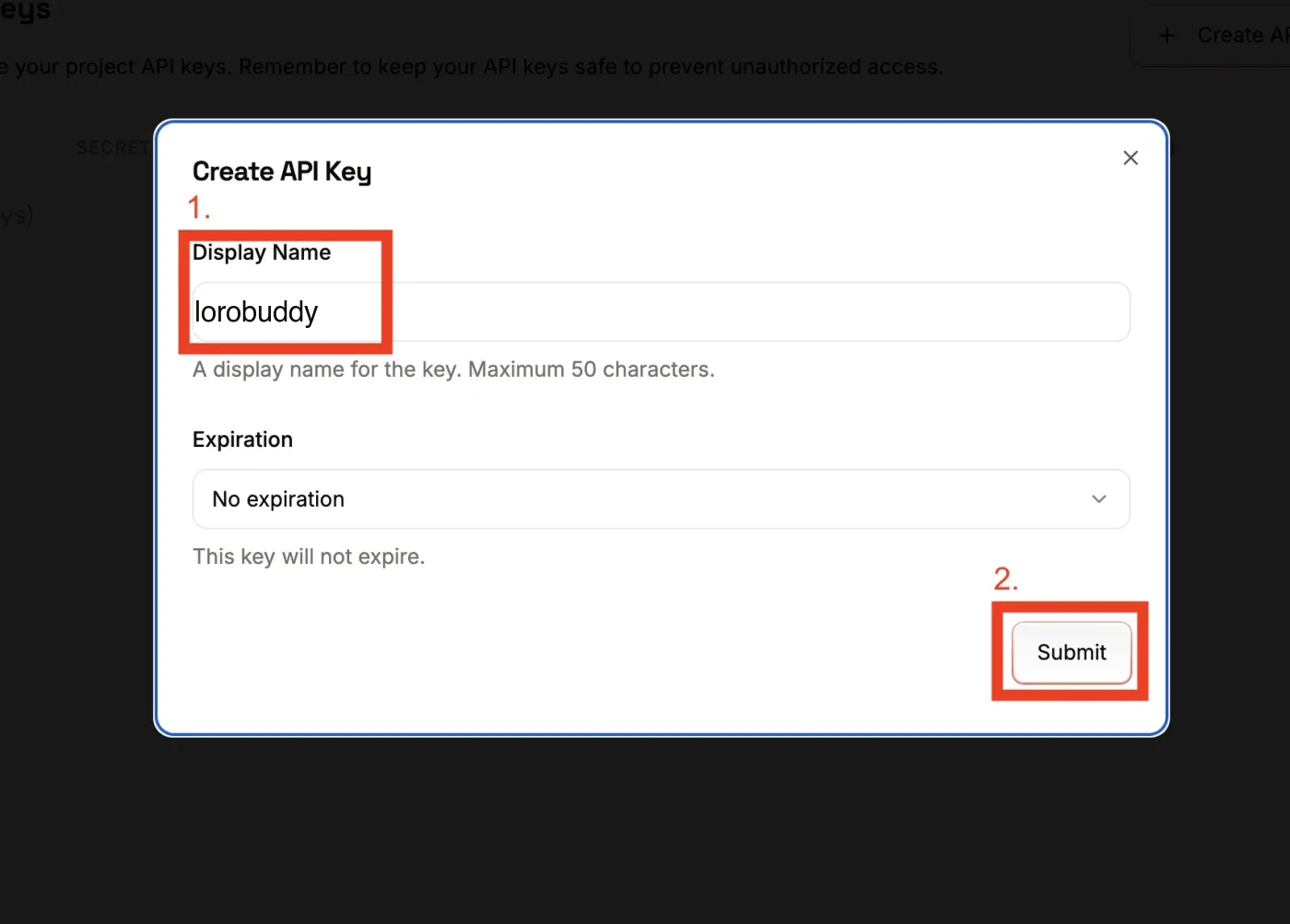
In the Create API Key dialog, give the key a name you’ll recognise later (for example “lorobuddy”), leave No expiration selected, then click Submit.
Copy your key — and keep it secret
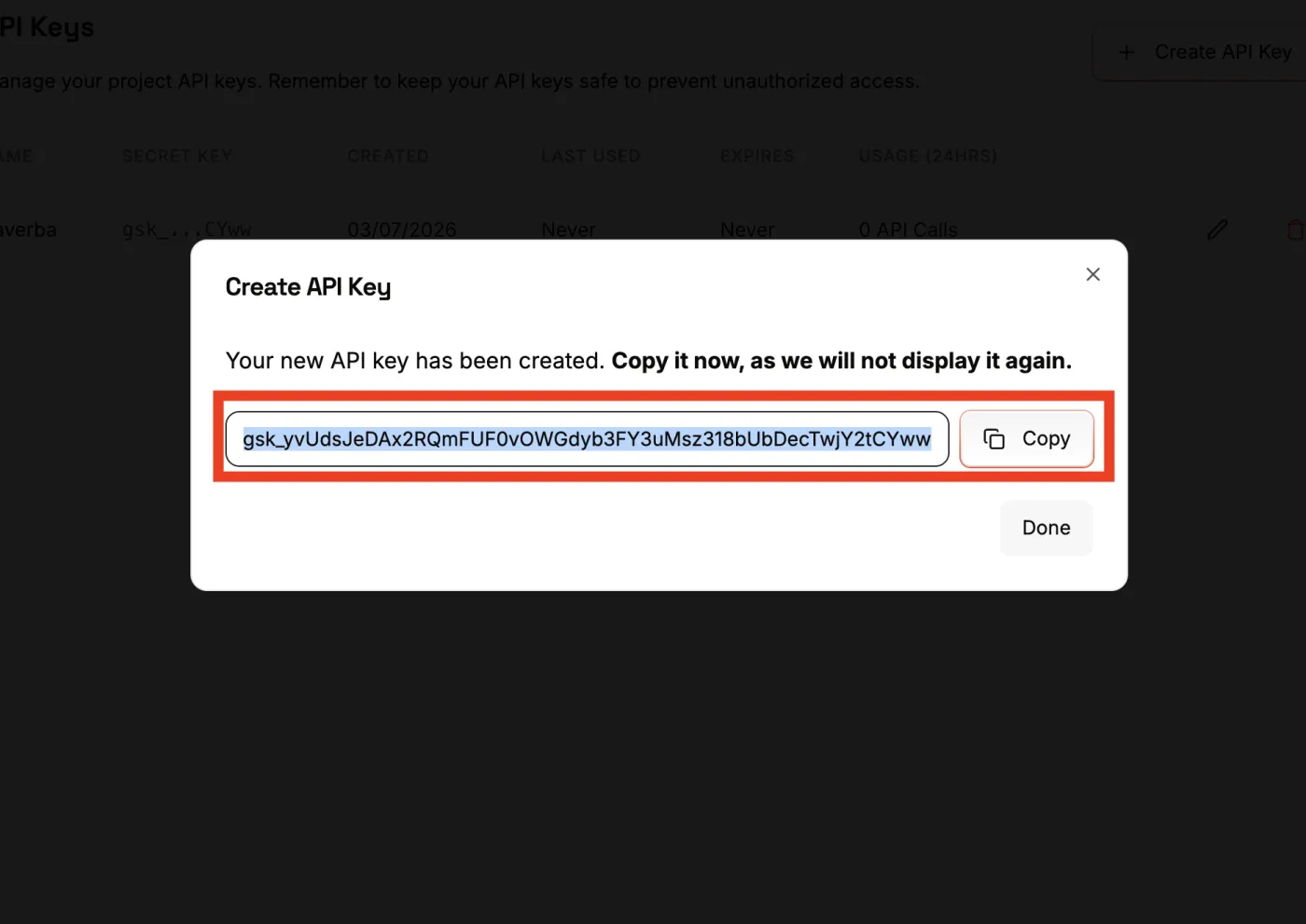
Groq shows your key just once. Press Copy and store it somewhere safe — treat this string like a password. You won’t be able to see it again after closing the dialog.
Keep your API key safe
An API key is a secret credential. If someone else gets it, they can make requests billed to your account. A few simple habits keep you protected.
Treat it like a password
Your key signs in as you. Store it in a password manager — not a sticky note or a shared file.
Never put it in code or Git
Don’t paste keys into files, public repos, or screenshots. Bots scan public repos for leaked keys within minutes.
Don’t share it in chats
Never send the key over email, WhatsApp, or messages. No genuine service will ask you to paste your key to them.
Rotate or delete if exposed
If a key ever leaks, open API Keys, delete it, and create a new one. The old key stops working immediately.
LoroBuddy stores your key only on your device, and only to talk to Groq on your behalf — we never display it back or share it. You can revoke it any time from the Groq Console.
Add the key to LoroBuddy
Finally, plug your key into LoroBuddy so Practise mode can score your child reading aloud.
- 1 Open LoroBuddy and go to Settings. (It’s behind the parental gate, so only grown-ups can reach it.)
- 2 Open Practise scoring.
- 3 Paste your key into the API key field.
- 4 Tap Test key to check it works and save it.
- 5 When it shows Ready, Practise mode is on. Create a book, choose Practise, and your child’s read-aloud gets a gentle score.
Tip: if scoring ever stops working, check that your key is still active in the Groq Console and hasn’t hit the free-tier limit. You can always create a fresh key with the steps above.
Can’t connect?
Groq isn’t available in every country. If creating or testing your key fails, turn on a VPN, connect through another country, and try again.
We recommend SurfsharkReady to switch on Practise mode?
With your free Groq key in place, LoroBuddy can listen, score, and cheer your child on — right after they read.